When creating professional content, teams often need to improve text clarity, adjust tone, or translate content into different languages. Whether you're working with content received from colleagues that needs grammatical improvement, or drafting your own proposals that need tone adjustment, switching between multiple writing tools disrupts your workflow.
Rewrite makes content enhancement seamless by providing intelligent text improvement options directly in your browser via the SiftHub Browser Extension. Instantly improve text quality, adjust length, modify tone, and translate content – all without leaving your current page.
How to Use Rewrite
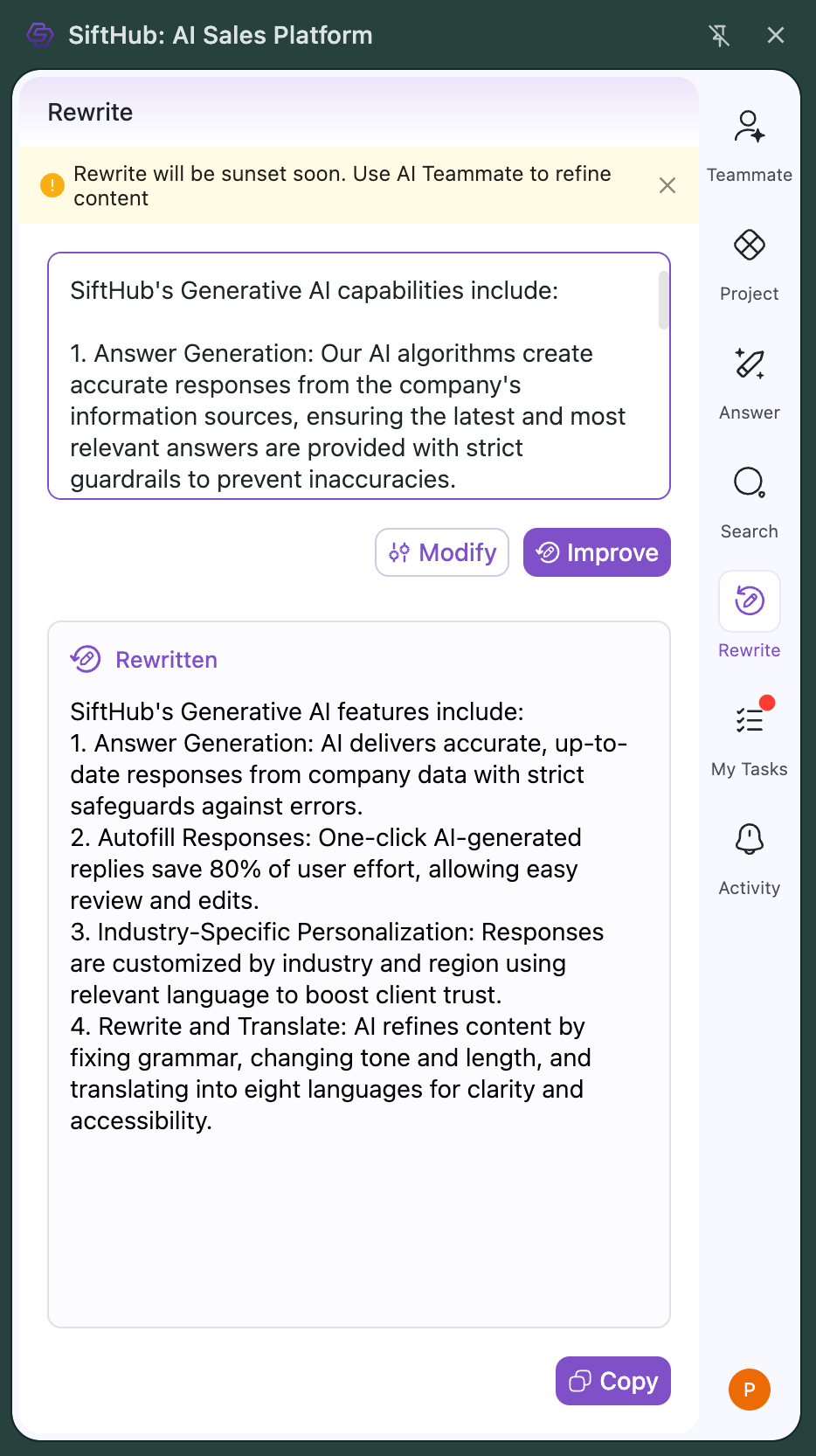
To rewrite your text using SiftHub:
1. Access the Rewrite Feature
- Open the SiftHub Browser Extension
- Click on the 'Copilot' tab in the top menu
- Select the 'Rewrite' sub-tab
2. Enter Your Text
- Type or paste your text in the input box
- Ensure text is less than 10,000 characters
3. Choose Your Rewrite Option
- Click 'Improve' for general enhancement
- Click 'Modify' to access specific options such as Tone, Length or Language
4. Generate and Use Results
- Your rewritten text will appear in the output area
- Use the ‘Copy’ button to copy the text.
Note: The copied text maintains all formatting including bullet points, line breaks, bold text, hyperlinks, when pasted in a document, email or web page.
Different Rewrite Options
SiftHub offers multiple ways to enhance your text:
Improve: Automatically enhances writing quality by fixing grammatical errors, improving clarity, and ensuring professional language
Length: Adjust your content to be more concise or detailed
- Shorter: Creates a crisp, condensed version
- Longer: Expands content with additional relevant details
Tone: Modify the writing style to match your needs
- Simpler: Makes text easier to understand
- More professional: Elevates the language for formal contexts
- More persuasive: Enhances impact and convincing power
Language: Translate your content while maintaining context and meaning into languages such as English (US and UK), German, French, Spanish, Italian and more.
Note: SiftHub supports providing instruction prompts to define the formatting, content structure and response language in 50+ languages in addition to those supported out-of-the-box.
Troubleshooting
Common Issues and Solutions:
Text Not Accepted
- Check if text is within maximum limit (10,000 characters)
- Remove any unsupported special characters
Rewrite Options Not Active
- Ensure text is properly pasted or typed in the input box
- Check if browser extension is up to date
No results in output
- Open and close the extension and re-login
- Check internet connectivity
- Try breaking longer text into smaller segments
If you continue experiencing issues, please contact your SiftHub Customer Success Manager or reach out to support@sifthub.io.